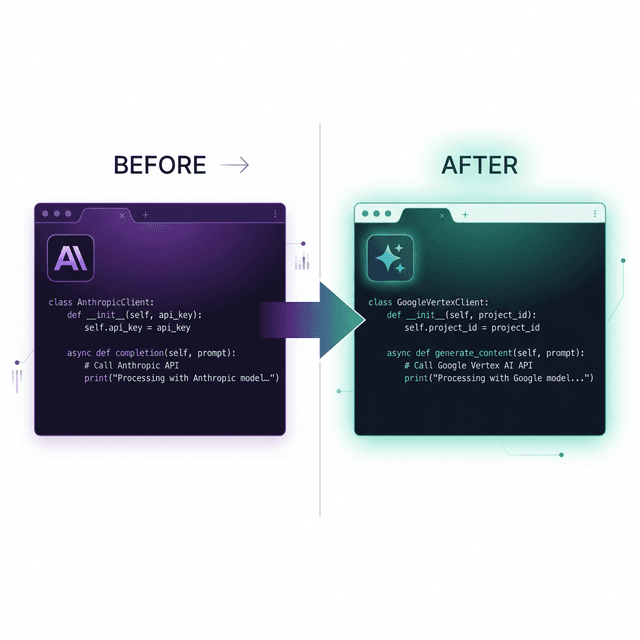
We've changed our primary AI coding tool three times in 18 months. Each time we thought we'd found the one, and each time something better came along and we moved again.
This is a diary of what happened rather than a review or a recommendation: what broke, what got better without us noticing at first, and the lessons we expect to still hold when the next tool makes us switch.
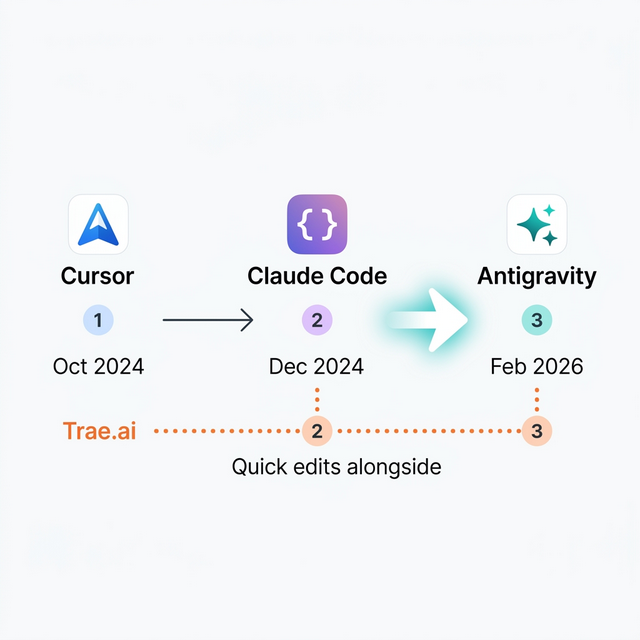
Chapter 1: Cursor (October 2025 to December 2025)
Cursor was our first real AI-powered IDE. Before that we used GitHub Copilot's autocomplete inside VS Code, which helped but only ever suggested the next few lines.
Cursor felt different. You could highlight a block of code, describe what you wanted, and it would rewrite the block. You could ask it questions about your codebase. For someone who had been managing teams of 20-25 engineers and was suddenly working solo, it was the first tool that made solo development seem workable.
What worked well: inline editing was fast and easy to pick up, and the "chat with your codebase" feature saved hours of reading code by hand. Tab completion was eerily good. It often seemed to predict what we were trying to do, beyond the next line.
What broke:
- We hit context window limits quickly on large projects. Our ERP codebases exceeded the context, and Cursor would start hallucinating function signatures that didn't exist.
- The subscription kept changing. Pricing shifted, token limits moved, and features went behind higher tiers.
- Multi-file refactors were risky. It could edit one file very well without understanding the knock-on effects across the project.
Cursor was a great introduction to what AI-assisted development could be. It helped us type faster, but it worked like a copilot and didn't change how we thought about the work.
Chapter 2: Claude Code (December 2025 to February 2026)
Claude Code, which we ran through a Z.AI subscription with the GLM 5 custom model, was a big jump.
The individual suggestions weren't much better. What changed was how much of the codebase it understood. Claude Code could hold entire architectures in context. You could ask it to "refactor the authentication system to use JWT instead of sessions" and it would work out what that meant for routes, middleware, database schemas, and frontend components, then make all the changes in one pass.
What worked well:
- It understood how components connected across many files.
- The GLM 5 model through Z.AI was very good at architectural reasoning. Beyond writing a function, it could explain how three modules should interact and why.
- Terminal integration let us go from question to implementation to deployment without switching tools.
- It cost $30/month through Z.AI, a fraction of what Cursor cost for similar capability.
What broke:
- Claude Code was slow. Complex operations could take 30-60 seconds, and you spent that time watching a spinner.
- Token consumption was unpredictable. Some days a single complex refactor burned through the allocation; other days we barely touched it.
- The extension ecosystem was thin. Cursor had VS Code's entire extension library, and Claude Code was more isolated.
- When it got something wrong at the architectural level, it was confidently wrong. Debugging a bad Claude Code decision could take longer than doing the work by hand.
The bigger lesson from Claude Code was that the bottleneck in AI-assisted development is providing context. Writing the code is the easier part. We started spending more time on system prompts, keeping documentation current, and structuring codebases so the AI could read them. That habit, which we now call context engineering, has been worth more to us than any single tool.
We also started running several AI tools at once: Claude Code for heavy architectural work, Trae.ai ($6/month) for quick edits, and Warp.dev for terminal AI. Each tool had its own job, and we stopped looking for one that did everything.
Chapter 3: Antigravity (February 2026 to present)
We're three weeks in, which is a long time in AI tooling.
Antigravity is Google's agentic AI coding assistant, included with the Google AI Pro subscription ($20/month family plan). We were already paying for that plan for NotebookLM, AI Studio, and five family accounts, so Antigravity cost us nothing extra.
Some things changed straight away. Operations that took Claude Code 30-60 seconds finish in 5-15 seconds. That sounds minor until you're iterating on a feature with 20-30 AI interactions an hour, where the saved time adds up to a lot.
It also behaves like an agent. You describe a feature, and Antigravity writes an implementation plan, writes the code, runs the tests, and fixes the failures. Our workflow went from writing code with AI help to reviewing and directing the AI's work.
It can take screenshots, interact with web pages, and check visually that a change looks right. We used to switch between the IDE and the browser constantly, and now the tool handles that loop. It also creates files, manages imports, and handles directory structures. Claude Code could do this too, but Antigravity does it as part of a larger plan instead of one file operation at a time.
In day-to-day practice:
- We now spend more time reviewing AI-generated code than writing our own. The developer's job has moved from writing toward architecture and review.
- System prompts and project documentation have become development artefacts in their own right. The better our docs, the better Antigravity's output. Garbage in, garbage out works in the other direction too.
- Multi-step tasks that used to need back-and-forth ("okay now update the tests," "now update the types," "now fix the import") happen in one pass.
What still breaks:
- We've only used it for three weeks and haven't hit the edge cases yet. The lack of problems so far says more about our inexperience with it than about the tool.
- We now depend on Google's ecosystem. If Google AI Pro changes its pricing or drops features, our primary coding tool changes with it.
- Context can go stale in long sessions, so we've got into the habit of starting a fresh conversation for each new feature instead of continuing long threads.
What we learned that applies to every tool
These lessons held across all three migrations.
1. Your documentation is your real tool
Every time we switched, our documentation carried over intact. System prompts, architecture docs, coding standards, and project conventions all worked immediately with the new tool.
The code we wrote with the previous tool carried over too, because it was standard TypeScript, Svelte, and Node.js.
The only thing we lost was muscle memory for the tool's UI, and that took about a day to rebuild. Put the effort into documentation and standards rather than mastering a tool. The tool will change and the docs will stay.
2. There's no single perfect tool
Our current stack uses four AI coding tools at once:
| Tool | Role | Cost |
|---|
| Antigravity | Primary IDE, agentic development, multi-file work | $20/mo (Google AI Pro) |
| Claude Code + Z.AI | Architectural reasoning, second opinion on complex decisions | $30/mo |
| Trae.ai | Quick edits, lightweight tasks | $6/mo |
| Warp.dev | Terminal AI, deployments, system operations | $18/mo |
That's $74/month in total. Each tool beats the others at something specific, and using all four together gives us better results than any single tool at any price.
3. Speed matters more than quality, up to a point
This one may be controversial: once AI output is good enough, speed becomes the thing that matters most.
On some tasks Claude Code produced slightly more elegant solutions than Antigravity. But Antigravity was fast enough that we could iterate 3-4x more often in the same time, and more iterations meant more refinement and a better final result. A fast, good tool beats a slow, great one because the speed lets you keep improving the output.
4. AI permanently changed how we write code
If every AI tool disappeared tomorrow, our coding habits would stay changed:
- We write more documentation. We didn't become more disciplined; we learned that documentation is input to AI tools, and better docs produce better output.
- We structure code so AI can read it: smaller modules, clearer naming, more explicit type definitions. These changes also make the code easier for people to read.
- We think about orchestration more than implementation. The question used to be "How do I implement this?" Now it's "How do I describe what I want clearly enough that AI implements it correctly?"
5. Migration is cheap when your architecture is clean
Each migration took about a day. The tools aren't similar, but our codebase is modular and well documented.
If your code is a monolith and the knowledge about it is scattered across Slack messages, switching AI tools will hurt. If it has clear module boundaries and written documentation, the new tool picks it up immediately.
This is another argument for Data-First Principle Thinking: the work you put into structured documentation pays off again every time you change tools.
What's next
We'll switch again, probably within 6 months and maybe within 3. AI coding tools are moving so fast that today's best tool will be the baseline by next quarter.
We're fine with that. A migration costs us a day, and the improvements last for months, so staying current is clearly worth it.
The more useful question than "Which AI coding tool should I use?" is "Is my codebase ready to benefit from any AI coding tool?" If your docs are strong, your architecture is modular, and your conventions are written down, any tool in this category will make you much faster. If they aren't, the most expensive subscription available won't help.
This post is part of our operator war stories series, where we write about the tools, migrations, and technical decisions behind Alpha Bits. You can also read about our full AI coding stack or how we think about data.