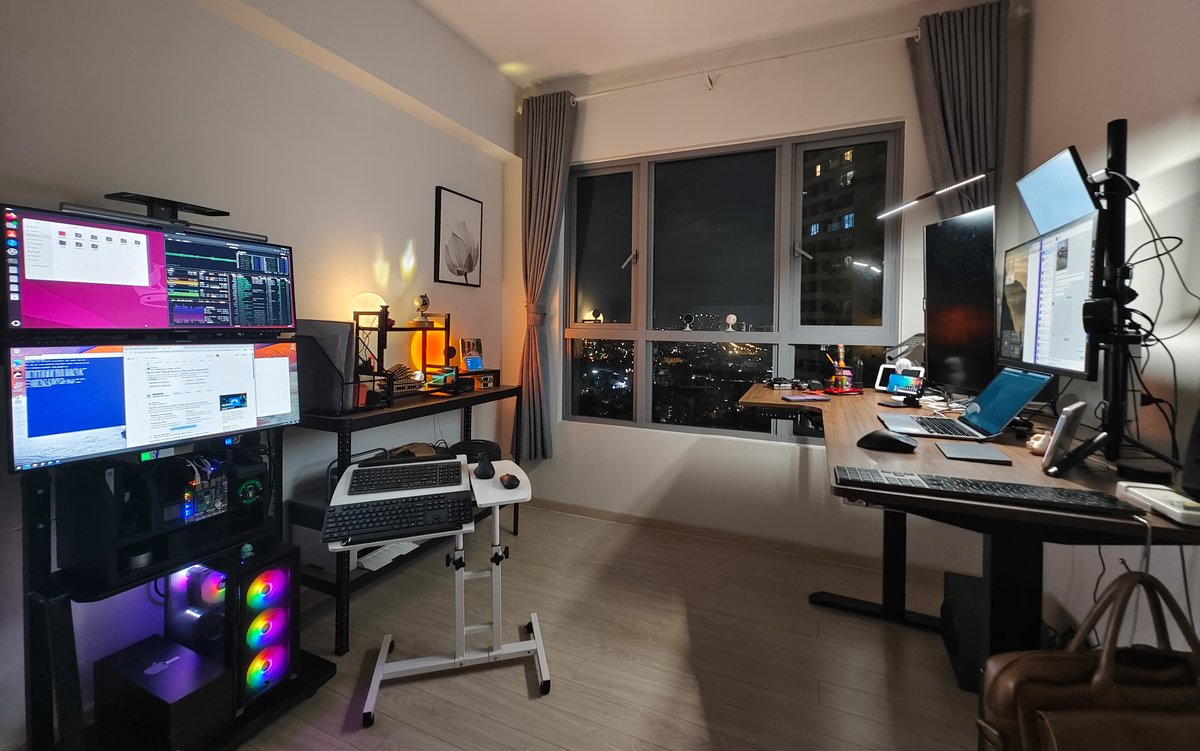
I've spent 20+ years in the tech industry, from startup CTO jobs to enterprise architecture roles, and the best way I've found to understand a technology is to work with it directly. That started early. As a teenager I took apart a wireless router and traced how tiny Bits could travel thousands of miles through the air, and I was hooked. The curiosity stayed, and three years ago it led me to start building what became the Alpha Bits HomeLab.
This series shares that work. We haven't figured it all out, but we like learning in public, and building, breaking and rebuilding systems has taught us things worth passing on.
What a HomeLab is
A HomeLab is more than a home server, and it's a poor excuse to buy expensive hardware. It's a personal learning environment where you can try enterprise technologies, test new ideas and build real solutions without corporate policies in the way or a production system to break.
It's a sandbox, but one that can run real applications, host your family's photos, run your side projects and act as a test bed for client solutions.
At Alpha Bits, our HomeLab does several jobs:
- Development environment: we test new technologies before recommending them to clients.
- Production infrastructure: it hosts our own services, website and internal tools.
- Learning: we experiment with AI models, IoT integrations and automation workflows.
- Product development: our Alpha Block educational robotics platform runs its command centre on a Raspberry Pi CM4 with Node-RED and MQTT.
- Energy R&D: the I.C.E. Battery IoT monitoring system processes 10,000+ data points a day from our distributed lab.
Why I started building
It began with a client project in 2021. We were helping a mid-size manufacturer put IoT sensors across their production line, and they needed a data pipeline for real-time processing, storage and analytics. The proposed cloud solution would have cost them $15,000+ a month.
I was sure there was a cheaper way. That weekend I set up a Raspberry Pi 4 with Docker, installed InfluxDB, Grafana and Node-RED, and built a proof of concept that covered their whole use case for under $200 in hardware.
The Pi saved the client money, and it showed me how much a modern single-board computer can do with open-source software. It also reminded me why I got into technology in the first place: solving real problems with whatever you have on hand.
Why you should build one
You learn by doing
You can read about Kubernetes, Docker or database clustering all day. Until you've deployed a multi-node cluster, fought the networking and recovered from a failed upgrade, you don't really understand them.
In three years of running our HomeLab I've learned more about Linux administration, networking and system architecture than in the previous decade of using managed services.
Experiments are cheap
Want to test a new database? Spin up a container. Curious about AI model inference? Run it locally. Need to prototype an IoT solution? The lab is already there.
In the cloud, a few forgotten instances can turn into a surprise bill. A HomeLab's costs are predictable: the hardware up front, then a small electricity bill.
Things break, and you learn to fix them
Your HomeLab will break. Networks go down, containers crash and updates fail, and every failure teaches you troubleshooting that no tutorial covers.
I've spent many Saturday mornings working out why a container won't start after a system update, and each time I learn something new about dependency management, Docker networking or Linux administration.
My most memorable failure was a bug in a Node-RED flow, literally one missing character, that bypassed a safety limit on a heating experiment. The system overpowered and melted an entire rig of wiring in an instant. No tutorial or cloud sandbox teaches you that. When the hardware is physically in front of you, the stakes feel real and the lesson sticks.
Clients can see it working
When I talk to clients about our infrastructure approach, I can show them our actual setup, share real performance numbers and run solutions in our own environment. That has helped a lot in client conversations, because clients can tell when you've built and maintained the thing you're recommending.
How we approach it
We don't aim for the most powerful hardware or the most complex setup. We follow three rules.
Start small and add hardware for a reason
We began with a single Raspberry Pi 4. Today we run a distributed setup with several Pis, Orange Pi boards and a dedicated Linux server with a GPU for AI workloads. Each addition came from a specific need.
Open source first
Every component in our stack is open source. Cost is one reason. The others are that we can read the code, change it to fit our needs and avoid vendor lock-in.
Write everything down
Every configuration, lesson, failure and recovery gets documented. Those notes come in handy when helping clients, training team members, or remembering why you made a decision six months ago.
What this series covers
Over the next posts I'll walk through our whole HomeLab setup and explain why we made each choice:
- Hardware: PC vs embedded systems, our multi-device approach, and what we learned from different form factors.
- Networking: how ZeroTier, Cloudflare DNS and Cloudflare Tunnel give us a secure network we can reach from anywhere.
- CasaOS: why we picked it to manage our Docker containers.
- Applications: the services we use every day, including Node-RED, a CRM and databases.
- AI: running local LLM inference and fitting AI into our workflows.
- Monitoring and maintenance: keeping everything running without much hands-on work.
A personal note
Building a HomeLab isn't always smooth. I've had frustrating evenings debugging network issues, weekends spent recovering from failed updates, and moments where I wondered if the cloud would be simpler.
I learned something from each of those problems, and solving them has made me a better architect and consultant. I also enjoy the work more than I did when everything was managed for me.
I'm not trying to convince you that a HomeLab is the only way. I want to share what we did and give you a roadmap if you decide to build your own. Experienced developers who want to learn infrastructure, students who want hands-on practice and business owners weighing self-hosting should all find something useful here.
Next up: hardware
The next post covers hardware selection: why we chose our particular mix of devices, the trade-offs we weighed, and what we learned running everything from Raspberry Pi Zeros to dedicated GPU servers.
Until then, think about which problems you'd like your own infrastructure to solve. A good HomeLab is built around those problems, and the hardware follows.
Next up: "Choosing Your HomeLab Hardware: Why We Mix Raspberry Pis, Orange Pis, and Dedicated Servers"